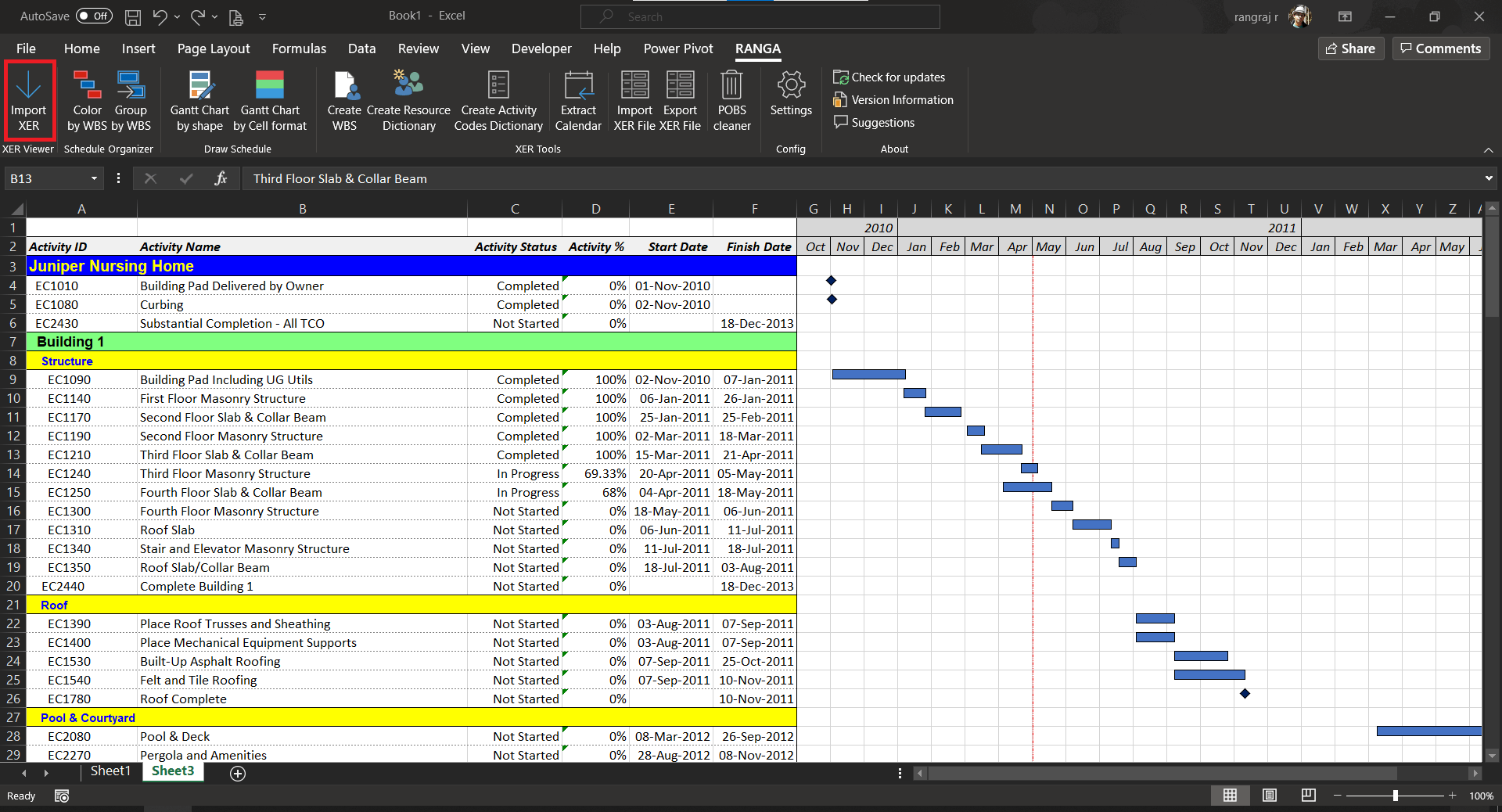
No need for Primavera any more to read XER files. Now you can view the schedule straight from Excel. No need to worry any more about sharing your XER files in PDF or excel file.
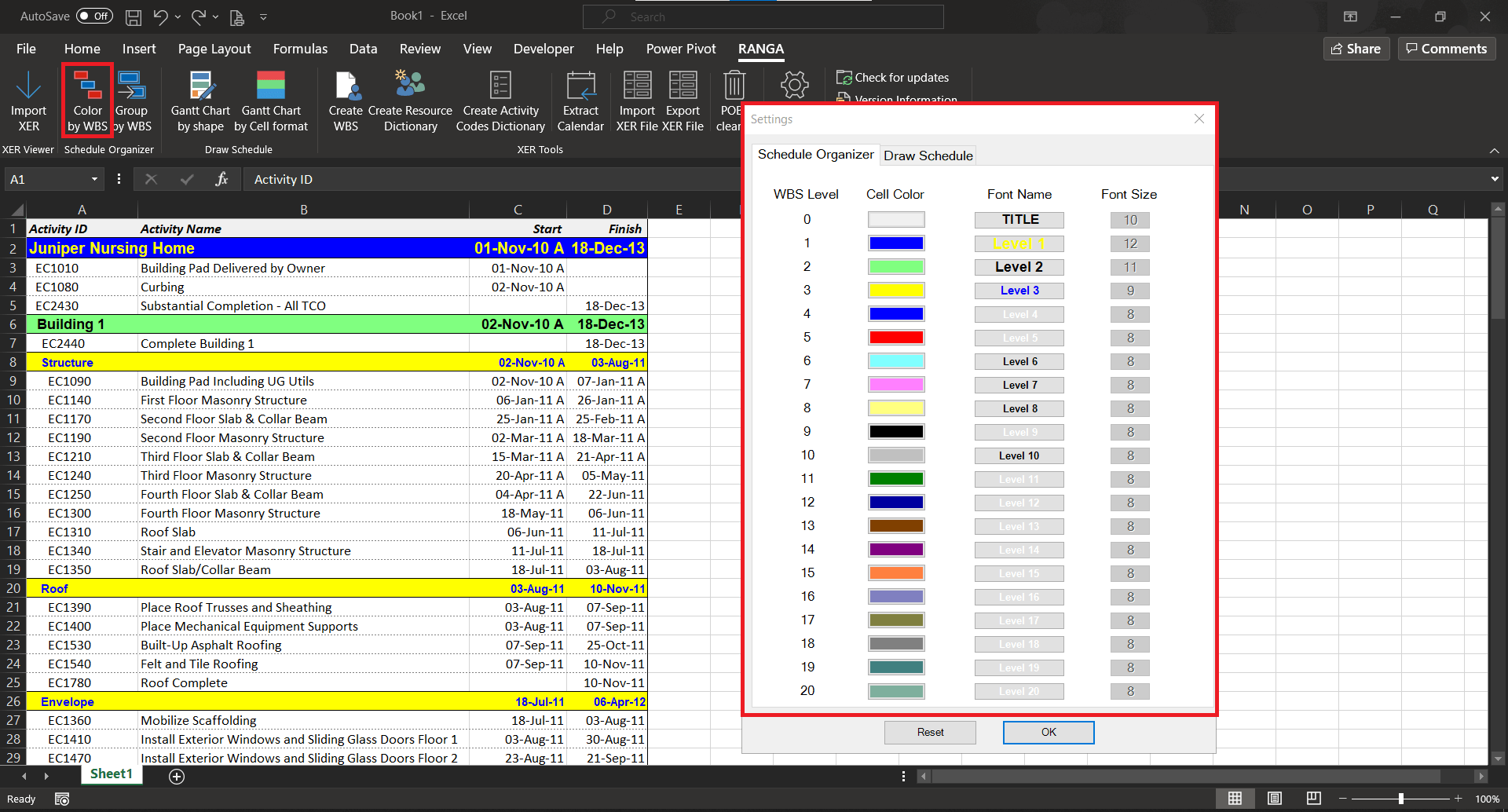
2. color your WBS
Quickly color your WBS’s pasted in Excel on a single click and with the colors of your choice. Stop wasting time coloring manually and be more productive.
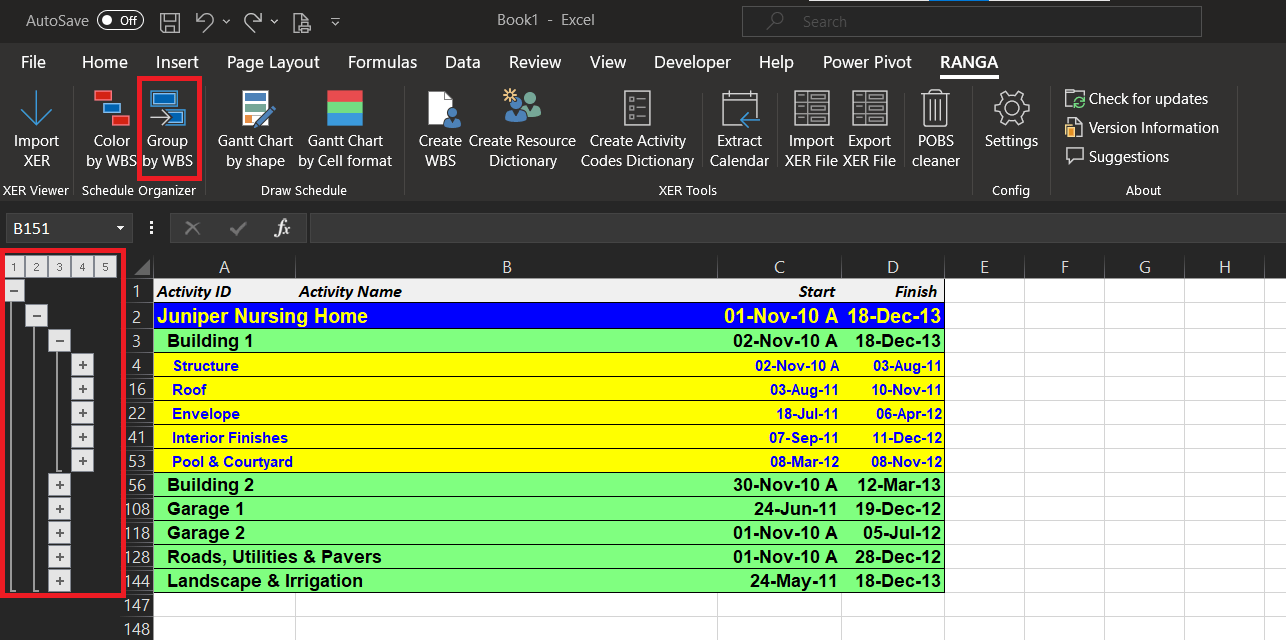
3. Group by WBS
Group your WBS in Excel level wise. You can view your schedule quickly at high level or create a summary for the management at various just like that.
4. Gantt Chart by shape
Once you are done with dates in Excel, use the Gantt chart by shape feature to create the gantt chart by days, weeks, months or even years.
5. Gantt Chart by Cell format
Once you are done with dates in Excel, use the Gantt chart by Cell format feature to create the gantt chart by days, weeks, months or even years by coloring individual cells
6. Create WBS dictionary
No more creating WBS dictionary in Primavera P6 one by one, use the Create WBS dictionary feature to quickly paste your desired WBS in Excel and upload to Primavera P6
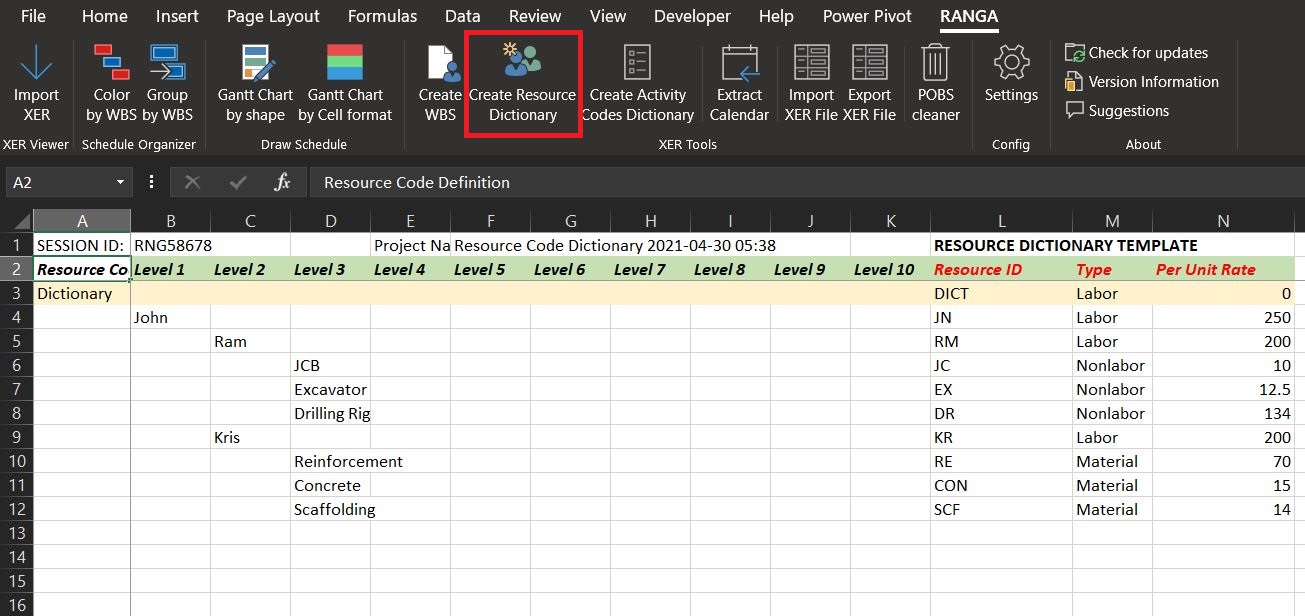
7. Create Resource dictionary
Gone are the days when you were creating bulk resource dictionary by editing the XER file manually, use the Create Resource dictionary feature to quickly create your resource dictionary in Excel and upload to Primavera P6
8. Create Activity Code dictionary
No more time wasting creating your Activity Code dictionary in Primavera manually, use the Create Resource dictionary feature to quickly create as many Activity Code dictionary in Excel and upload to Primavera P6
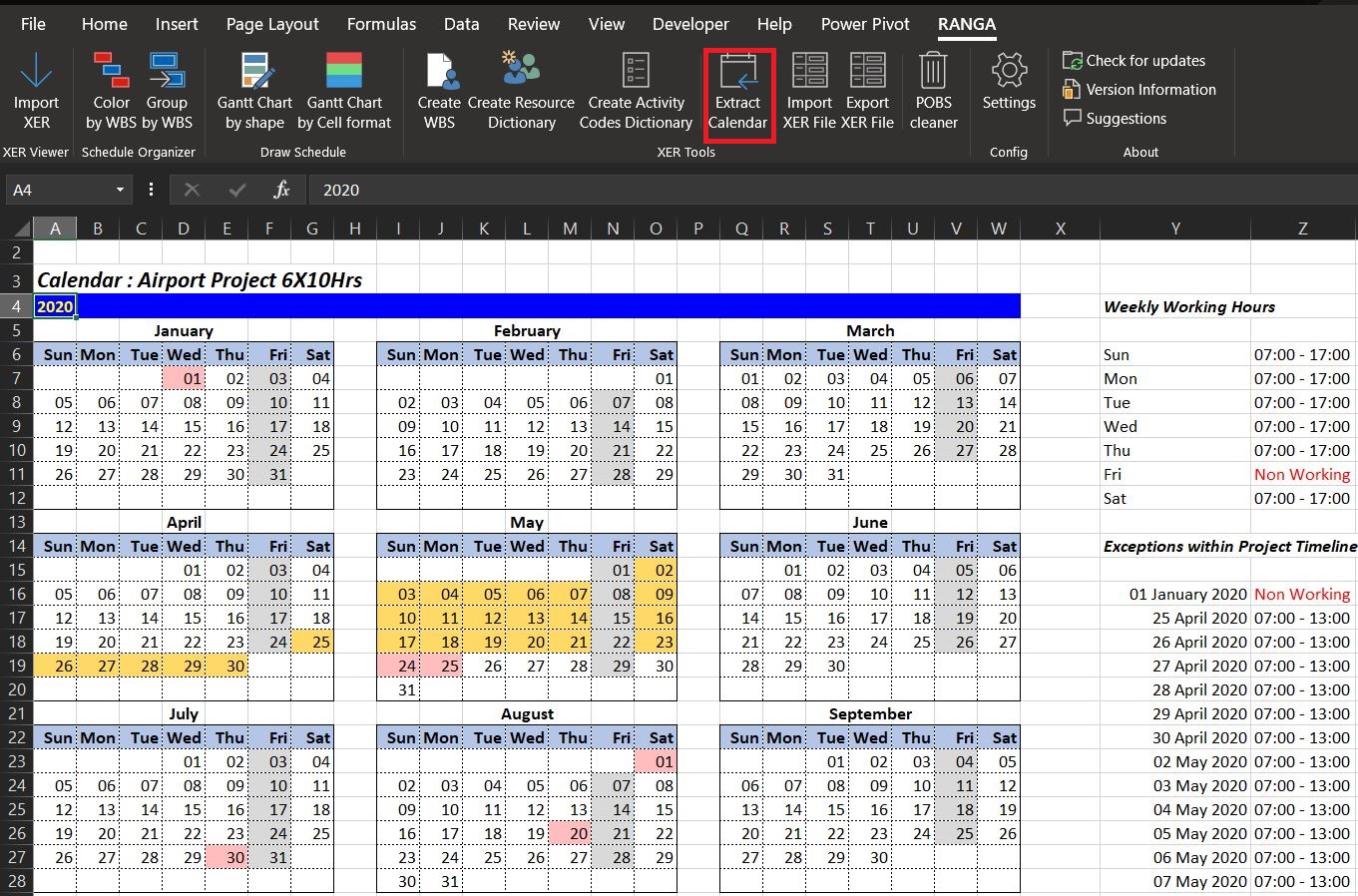
9. Extract Calendar
Extract all calendars in a Primavera P6 XER file into an easy to read and understand native calendar view highlighting all the standard working / non-working days, exemption and holidays.
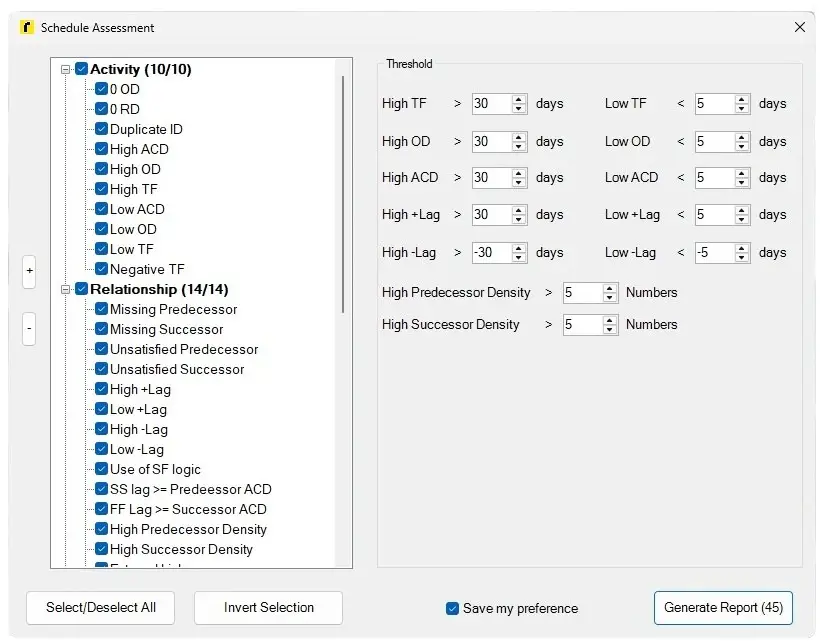
10. Schedule Assessment
Instantly audit the health of any Primavera P6 XER schedule without leaving Excel. The Schedule Assessment tool analyses your project against 45 configurable checks across Activities and Relationships — including open ends, missing predecessors/successors, high float, negative float, duplicate IDs, lag violations, and logic density issues.
Set your own thresholds for Total Float, Original Duration, Actual Completion Date, and lead/lag values. Select only the checks relevant to your project, save your preferences, and generate a detailed report in one click. Ideal for schedule reviewers, planners, and PMO teams performing DCMA 14-Point or custom schedule quality assessments.
Key checks include: Zero OD, Zero RD, High/Low TF, High OD, Negative TF, Missing Predecessor/Successor, Unsatisfied Logic, SS/FF Lag violations, High Predecessor/Successor Density, and more.
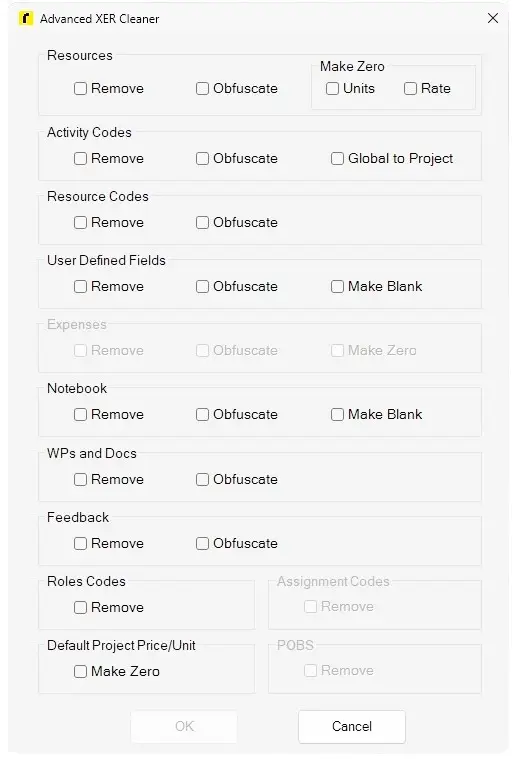
11. Advanced XER Cleaner
Sanitise and anonymise Primavera P6 XER files before sharing them with clients, contractors, or third parties — without opening P6. The Advanced XER Cleaner gives you granular control over exactly what data stays and what gets removed or obfuscated.
Choose to remove or obfuscate sensitive project data across Resources, Activity Codes, Resource Codes, User Defined Fields, Expenses, Notebook entries, WPs and Docs, Feedback, Role Codes, and Assignment Codes. Options to zero out resource rates and units, blank out UDFs, and remove POBS data ensure commercially sensitive information never leaves your organisation accidentally.
Perfect for contractors submitting schedules to clients, planners sharing baseline XERs for review, or companies with data confidentiality requirements on live projects.
12. Excel Utilities
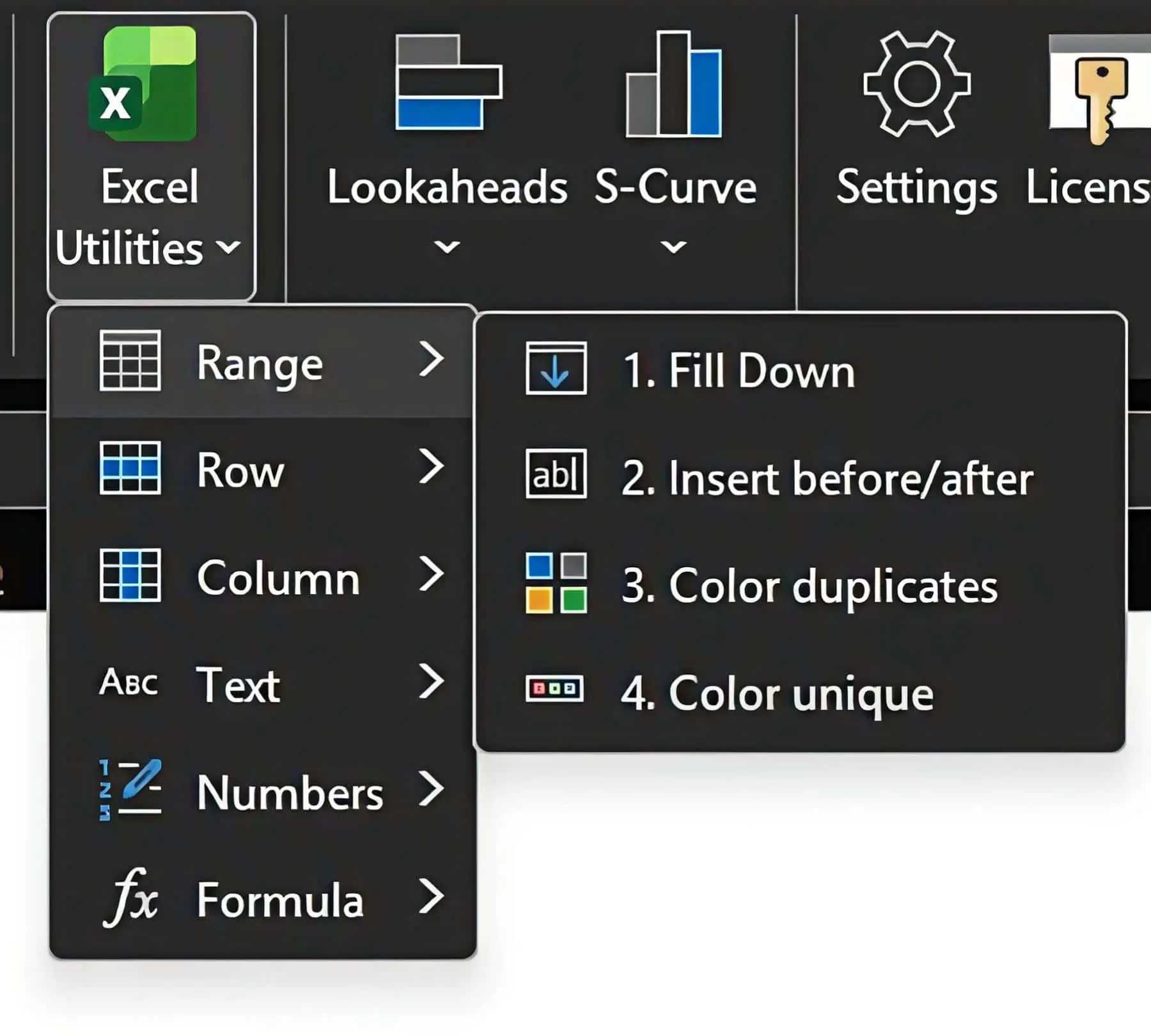
A productivity toolkit built directly into Prevara’s Excel ribbon, giving construction planners instant access to the most common spreadsheet operations — no macros, no VBA knowledge required.
Organised into six categories for fast access:
Range — Fill Down, Insert before/after, Color duplicates, Color unique values Row — Insert N rows at once Column — Insert N columns at once Text — Trim text, Clean text, UPPER CASE, lower case, Proper Case, Sentence Case Numbers — Change text to numbers (fixes imported data that won’t calculate) Formula — Change formula to value (paste-as-value in one click)
Stop losing time on repetitive formatting tasks when working with exported XER data, resource sheets, or cost reports. Excel Utilities turns multi-step operations into single clicks.